Digital Compass - GPS Compass
Infinity Tech SystemsTravel & Local
4.2202.00 Reviews
- Version
- 6.6
- Installs
- 1.00M
- Age Rating
- Everyone
Screenshots
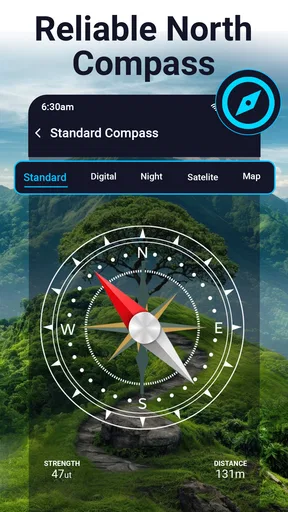
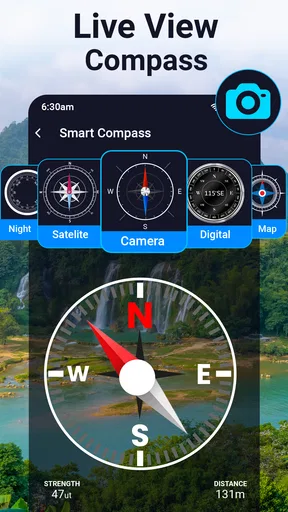
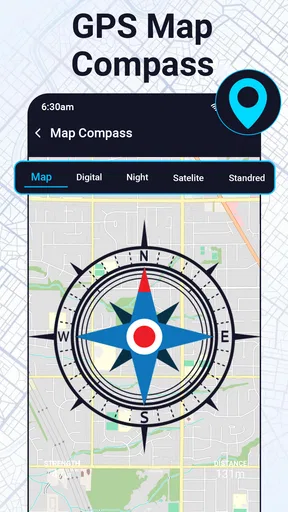
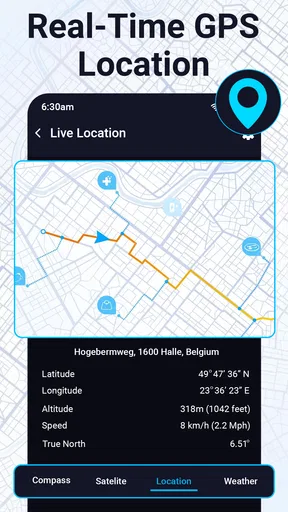
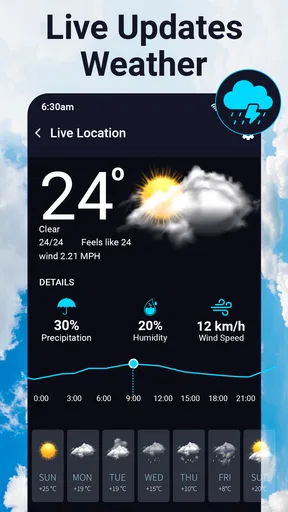
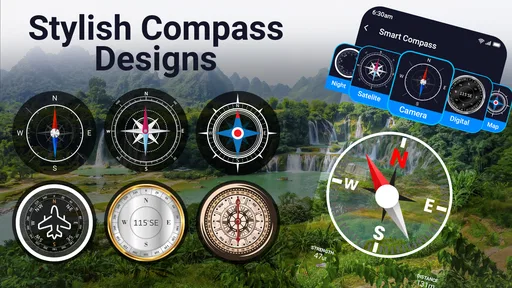
Our Review of Digital Compass - GPS Compass
 Analysis by Appyee
I like a compass app best when it answers one simple question quickly: which way am I facing? Digital Compass - GPS Compass is built around that everyday need, with a direction display and location-oriented tools for people who want a little more context than a needle alone. My view is that it can be a handy companion for casual outings, but it should complement—not replace—a map, a route plan, or sensible outdoor preparation.
Where a phone compass earns its place
A dedicated compass is useful in a different way from turn-by-turn navigation. When I leave a trail, walk through an unfamiliar park, or need to orient a paper map, I may not want to search for an address or follow a route. I want a quick bearing. That is the kind of small, practical job this app is meant to make easier, and it is also why I would keep it available even if I already use a full-featured navigation app.
There is a useful distinction between knowing a direction and knowing where to go. A compass can help me face north or keep a chosen heading, but it does not by itself tell me whether a path is safe, open, or the right route. I find that distinction worth keeping in mind: use the compass to orient yourself, then check a map or local signs before committing to a turn.
How it fits among travel tools
In the travel and local category, many people reach first for a map app. That is sensible for finding a destination, checking roads, or following a planned route. A compass has a narrower role: it can be faster when I simply need to establish direction, especially while standing still or looking at a paper map. The trade-off is that it does not offer the same route-planning context as a conventional navigation app.
Compared with a physical compass, a phone version is convenient because I already carry the device and can keep direction alongside other phone-based location tools. A traditional compass, however, does not depend on a charged phone or a working screen. For a short walk I would happily use the phone; for a remote trip, I would treat a physical compass and a map as more dependable backup rather than assuming an app is enough.
Who is likely to find it useful
I would recommend trying it if you take casual hikes, explore unfamiliar neighborhoods, travel somewhere with confusing streets, or use a paper map and want a quick way to orient it. It may also suit someone who prefers a single-purpose tool over opening a full navigation app for a brief direction check. Infinity Tech Systems is the developer, and the app is free to install, which makes it easy to try for occasional use.
It is less suited to anyone expecting turn-by-turn guidance or a complete offline navigation system. If your priority is planning a long route, tracking a detailed journey, or navigating in a place where phone service may be unreliable, choose a mapping tool designed for that job and prepare offline materials where possible. I would not rely on a compass display alone for wilderness navigation.
Small habits that make it more useful
One practical habit is to check the direction before you start moving, then compare it with a map or a visible landmark. That gives you a simple reference point and helps avoid the common mistake of repeatedly turning the phone while walking and losing track of the original heading. If the displayed direction seems inconsistent, pause and recalibrate rather than making a route decision from a reading that may be unsettled.
In a city, tall buildings and nearby metal objects can complicate orientation, so I would step into a more open spot and take another reading before deciding which street to use. This is a useful trade-off to understand: a compass can be immediate, but the surroundings and the phone’s sensors still matter. A quick check in a clearer location is often more helpful than staring at a changing reading in a crowded street.
For a simple everyday example, imagine leaving a transit stop in an unfamiliar area and knowing your destination is beyond a nearby park. I would use the compass to establish the broad direction, then open a map to choose a walkable route and confirm the entrance. That division of work keeps the compass useful without asking it to answer questions that belong to a map.
What to know before installing
The app has a 4.1 average from around 1.1 thousand ratings, with more than a thousand written reviews and over a million installs. It is rated for Everyone, and its listed Android requirements start at version 6.0. The current version is 6.0, and the app was released on June 11, 2023. Those details suggest it has found a substantial audience, though popularity is not a substitute for checking whether its approach suits your own needs.
There are also in-app purchases, with items priced from $14.99 to $39.99. Since the basic app is free, I would start with the no-cost experience and consider paid options only if I encountered something I genuinely needed. A compass is often an occasional tool, so it is worth deciding whether extra spending makes sense for your own routine rather than assuming it is necessary.
Before heading out, I would also make sure I understand the app’s display and know how to interpret the direction it gives. A quick practice check near home is a better time to learn than the middle of a confusing walk. And because phone-based navigation depends on the phone being usable, keeping enough battery for the rest of the outing matters more than squeezing every possible feature into one session.
Hey there, fellow app enthusiast! So, I’ve been diving into the world of navigation apps lately, and I stumbled upon the Digital Compass - GPS Compass. Let me tell you, this little tool is a game changer for anyone who loves exploring the great outdoors or just needs a reliable guide when the GPS signal goes wonky. Grab a seat, and let’s get into it!
Getting to Know Digital Compass - GPS Compass
First off, let’s talk about what this app actually does. It’s basically your trusty companion that transforms your smartphone into a fully functional compass. But it’s not just about pointing north; it’s loaded with features that make it way more than your average navigation app. From hiking trails to urban adventures, this app has got your back.
Setting Up and First Impressions
Installing the app was a breeze. Available on both Android and iOS, it’s just a quick download away. Once I opened it up, I was greeted with a sleek, user-friendly interface. It’s intuitive, which means you won’t be fiddling around trying to figure things out. Everything is laid out clearly, making navigation a cinch.
One of the first things I noticed was how responsive the compass was. It’s super accurate and adjusts immediately as you move your device. This is a huge plus because, let’s be real, no one wants a laggy compass when they’re trying to find their way.
Features That Stand Out
Now, onto the juicy stuff – the features. This app isn’t just about pointing you in the right direction. It includes a bunch of useful tools that make navigation an absolute breeze.
- Magnetic and True North: You can switch between magnetic and true north. This is awesome for hikers who need precise navigation.
- GPS Capabilities: It integrates seamlessly with your phone’s GPS, providing accurate location data even when you’re off the beaten path.
- Altitude and Speed: Yes, it shows you your altitude and speed. Perfect for those who love keeping track of their hiking stats.
- Weather Updates: You can get real-time weather updates, which is a lifesaver when you’re planning a day outdoors.
The app also features a map view option, so you can see exactly where you are in relation to your surroundings. It’s like having a mini navigation center in your pocket.
Performance on the Go
I took the app out for a spin on a hiking trip, and it performed like a champ. The compass stayed accurate, even in areas with poor GPS signals. The ability to switch between maps and compass modes was super handy, especially when I needed to double-check my route.
Battery consumption was surprisingly low. Of course, using GPS and weather updates will eat into your battery life, but it’s not as draining as some other navigation apps I’ve tried.
A Few Things to Note
While the app is generally awesome, there are a couple of things to keep in mind. It’s important to calibrate it regularly to ensure accuracy. The app does prompt you when calibration is needed, which is a nice touch. Also, while it’s great for outdoor adventures, you might find it less useful in heavily built-up urban areas where GPS signals can be sketchy.
Lastly, there are some ads, but they’re not intrusive. They pop up occasionally but don’t interrupt the flow, which is always a bonus in my book.
Final Thoughts
All in all, if you’re looking for a reliable, feature-rich navigation tool, this compass app is a fantastic choice. Whether you’re a seasoned hiker or just someone who enjoys the occasional outdoor stroll, this app will help you find your way without any fuss. It’s like having a little navigator right in your pocket, ready to guide you through your next adventure.
So, there you have it! I’d say give it a whirl next time you’re out and about. Who knows, it might just become your new favorite travel companion!
Verdict
Strengths of Digital Compass - GPS Compass
- Simple and intuitive interface.
- Lightweight and fast performance.
- Accurate GPS location tracking.
- Works offline without internet.
- Customizable compass settings.
Limitations of Digital Compass - GPS Compass
- Limited features in free version.
- Ads can be intrusive at times.
- Lacks advanced navigation tools.
- No integration with map apps.
- Battery consumption is noticeable.
Other Releases by Infinity Tech Systems
View All
All Document Reader & Viewer
Productivity4.0

Screen Recorder | Video Rec
Video Players & Editors4.8

HD Video Player & Media Player
Video Players & Editors4.8
Similar Picks in This Category
View All
Google Maps
Google LLC3.4

Google Maps Go
Google LLC4.1

Booking.com: Hotels & Travel
Booking.com Hotels & Vacation Rentals4.8

Google Earth
Google LLC3.8

Skyscanner Flights Hotels Cars
Skyscanner Ltd4.8

trivago: Compare hotel prices
trivago N.V.4.4
Frequently Asked Questions
What features does Digital Compass - GPS Compass offer?
Digital Compass - GPS Compass provides a variety of features including real-time location tracking, direction guidance, altitude measurement, and magnetic field detection. It also offers a user-friendly interface that displays cardinal directions and degrees, making it ideal for hiking, trekking, and outdoor adventures.
Is Digital Compass - GPS Compass accurate and reliable?
Yes, Digital Compass - GPS Compass is designed to be accurate and reliable. It leverages your device's GPS and magnetic sensors to provide precise directional information. However, its accuracy can be affected by nearby electronic devices or metal objects, so it's best used in open spaces.
Does Digital Compass - GPS Compass require an internet connection?
No, Digital Compass - GPS Compass does not require an internet connection to function. It uses your device's built-in sensors and GPS capabilities, allowing you to use it even in remote areas without network coverage. This makes it a great tool for outdoor enthusiasts.
Is Digital Compass - GPS Compass free to use?
Digital Compass - GPS Compass is available as a free download with basic features. However, it may offer in-app purchases or premium versions with advanced functionality, such as additional map layers or ad-free experience. Check the app store for specific pricing details.
Can Digital Compass - GPS Compass be used on all devices?
Digital Compass - GPS Compass is compatible with most Android and iOS devices that include GPS and magnetic sensors. However, older devices or those lacking these sensors may not support the app's full functionality. Ensure your device meets the necessary requirements before downloading.
